There is a moment every AI user hits. You have been chatting with the model, getting good results, staying within your plan limits. Then you ask it to do something. Not just respond to you. Actually do something. Search the web. Read a file. Analyze a document. Execute code. Use a plugin. And suddenly your usage meter moves a lot faster. This is the tool execution cost. It is built into every AI platform but almost nobody understands how it works or what it actually costs. If you use AI for email workflows, this is the invisible part of your bill that explains why you keep hitting limits or why your API costs are higher than expected.
Chat vs. Action: Two Different Price Points
When you type a message and the AI responds with text, that is a simple exchange. Your message goes in. The response comes out. The cost, whether measured in tokens on the API or messages on a consumer plan, is relatively predictable. Tool execution is fundamentally different. When you ask the AI to take an action, several things happen behind the scenes:
First, the AI receives descriptions of every tool it has access to. These descriptions are part of the prompt. They take up tokens. The more tools available, the more tokens consumed before the AI even reads your message. Second, the AI decides which tool to use and generates a structured call. This is not just text. It is formatted output that follows a specific schema for the tool being called. Third, the tool executes and returns results. Those results go back into the context as additional tokens. Fourth, the AI reads the results and generates its final response to you.
A single tool call can consume 3-5x the tokens of a regular chat message. Multiple tool calls in one interaction can consume 10x or more. And on consumer plans, this translates directly to burning through your daily or weekly message limits significantly faster.
What This Looks Like on Consumer Plans
On a $20/month consumer subscription, you typically get a generous number of messages per day for regular conversation. But tool-using messages count differently. Each one consumes more of your allocation because the underlying computation is more expensive. The practical effect: a plan that feels unlimited for chat suddenly feels constrained when you start using tools. You might get hundreds of regular messages per day but hit a limit after 20-30 tool-heavy interactions. For email workflows, this matters because the useful interactions are almost always tool-heavy. Summarizing a long thread requires processing a large context. Drafting a reply based on conversation history means reading multiple messages. Searching across your email requires retrieval. These are the exact use cases people buy AI subscriptions for, and they are the ones that cost the most per interaction. The frustrating part is that the limit does not reset based on what you need. It resets on a schedule. If you have a busy Monday morning with 30 emails that need AI-assisted replies, you might hit your weekly limit before lunch. The remaining four days of that week, you are back to writing manually or waiting for the limit to reset. The AI was supposed to save you time, but it only saves time until the meter runs out. The upgrade path is predictable. Hit limits on the $20 plan. Move to $100. Hit limits there. Move to $200. The workflow does not change. You just get more capacity to do the same copy-paste routine.
What This Looks Like on API Plans
For businesses and developers building AI into their workflows, the cost is more transparent but also more complex. Every API call is billed by token. Input tokens (what you send to the model) and output tokens (what the model generates) have different prices. And tool execution inflates both. Input tokens increase because:
Tool definitions are included in every request (can add thousands of tokens)
Tool results get appended to the conversation context
Multi-step tool chains compound with each step
Output tokens increase because:
Structured tool calls generate more output than simple text responses
The model often generates reasoning alongside the tool call
A workflow that processes emails through an API, using function calling to categorize, summarize, and draft replies, can easily cost 5-10x what the same text processing would cost without tools. At scale, across thousands of emails per month, this is significant. And the billing is per-request. Every email processed, every summary generated, every draft created is a separate API call with its own token cost. There is no "inbox plan" at the API level. It is pure usage-based pricing, and usage with tools is expensive. To put this in perspective, a single email thread with 10 messages might contain 2,000-3,000 words. Processing that thread with tool calls for categorization, summarization, and draft generation could consume 15,000-20,000 tokens in a single interaction. At typical API rates, that is a few cents per email. Sounds small until you multiply it by hundreds of emails per day across a team. The costs scale linearly with volume and there is no efficiency gain from doing more.
The Hidden Tax on Email AI Workflows
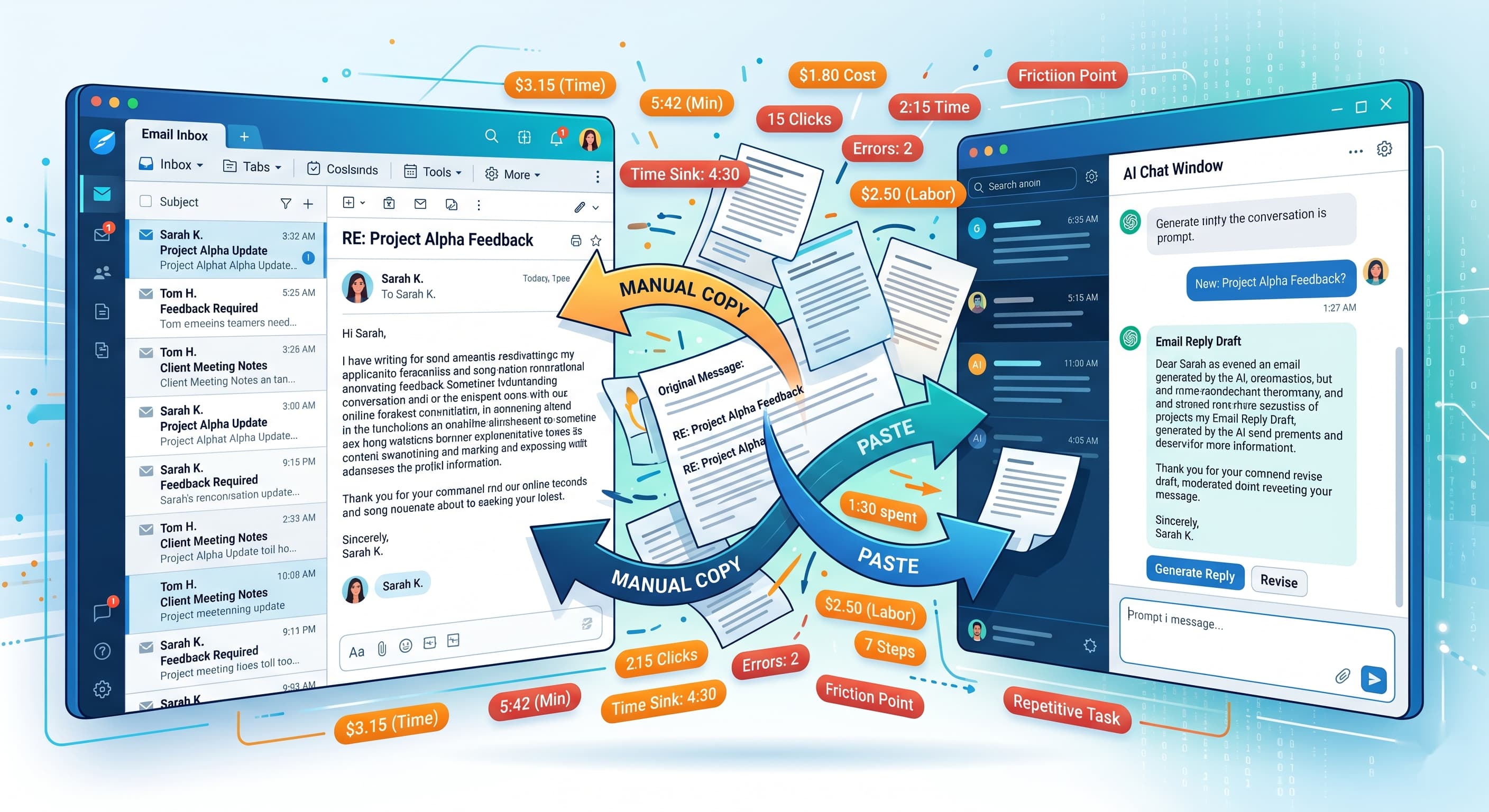
Here is where this connects to email specifically. If you use AI for email through copy-paste (pasting threads into a chat and asking for help), every interaction is a fresh context. The AI processes the entire thread from scratch each time. Long threads with many messages mean high token counts per interaction. Add tool use on top of that, such as searching for information or formatting structured output, and each email interaction becomes expensive in terms of your plan limits. If you use a dedicated AI email tool, the tool itself is paying these API costs and passing them to you through its subscription price. This is partly why AI email tools cost $18-50 per month. They are running tool-heavy AI workflows on every email you receive, and the inference cost per email is not trivial. Either way, you are paying for tool execution. Directly through your own AI subscription limits, or indirectly through the price of your email tool. The cost is real. It is just not always visible.
When the AI Lives Inside Your Email
The tool execution problem exists because general-purpose AI platforms treat email as just another document to process. Every interaction starts from scratch. Every thread is a new context. Every tool call is a separate billing event. An AI email agent that is built specifically for email does not work this way. The agent maintains persistent context about your inbox, your contacts, your conversation history, and your writing patterns. It does not need to re-process an entire thread from scratch every time you want a reply. The context is already there. This changes the economics fundamentally. Instead of paying for repeated large-context tool calls through a general-purpose platform, the processing is optimized for email from the ground up. Categorization, summarization, and drafting happen as part of the agent's native workflow, not as expensive tool calls bolted onto a chat interface. SmartMail is built this way. The AI agent is the email client. It does not call external tools to process your inbox. It processes your inbox as its primary function. Drafting, categorization, context awareness, and protection are all part of one integrated system, not separate tool calls that rack up tokens. The result is that the features people pay $20/month for AI chat plus $30-50/month for an email tool to achieve separately are handled by one agent that was designed to do this from the start. There is no separate AI subscription for drafting. No tool execution charges eating through a usage cap. No API bills scaling with every email. The agent processes your inbox as its core function, and the cost of that processing is built into one subscription, not spread across multiple billing models that compound as you use more features.
Related reading: