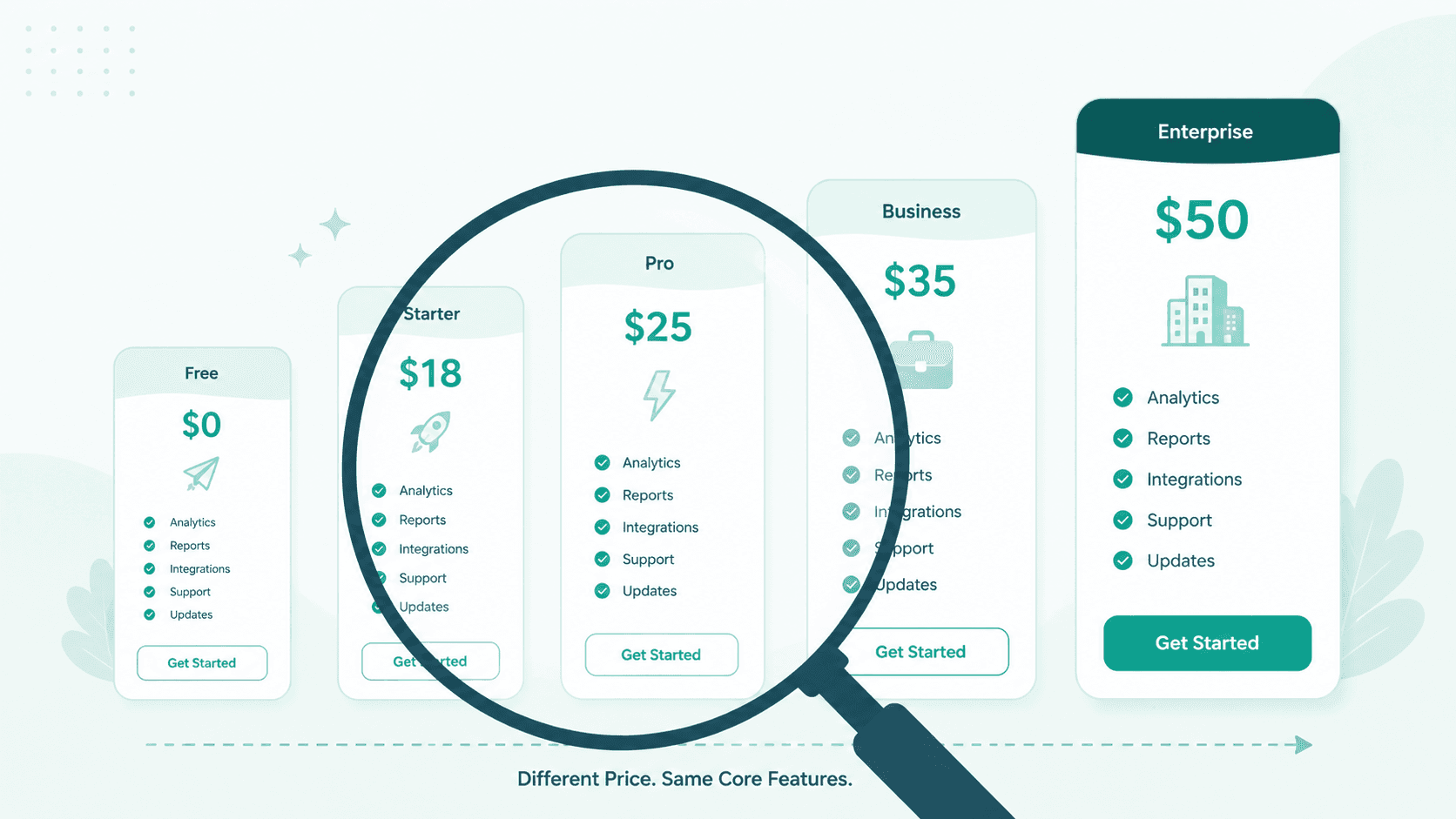
The AI email market in 2026 has more options than ever. Free tiers, $18 plans, $25 plans, $50 plans. Each promises to make your inbox smarter. But when you compare what you actually get at each price point, the differences are not where you expect them.
The features that every tool advertises, like AI drafting and smart categorization, are table stakes. The features that actually matter for daily use, like writing style adaptation, cross-tool context, and data protection, are either missing entirely or locked behind the highest tiers.
Here is what the market actually looks like. We broke it down by price tier because that is how most people evaluate these tools. The question is not "which tool has the best AI." The question is "what am I actually getting for what I am paying, and what is missing that I do not know about yet."
The Free Tier: What $0 Gets You
Several AI email tools offer free plans. What you get varies, but the pattern is consistent:
Basic AI features with strict usage limits
Limited number of AI interactions per day or month
Branding on your outgoing emails ("Sent with [tool name]")
Basic inbox organization
Single account support
No advanced AI features like voice matching or auto-drafting
Free tiers exist for one reason: to get you to upgrade. The AI usage limits are deliberately low enough that you will hit them within a few days of serious use. And the branding on outgoing emails means everyone you email knows which tool you use.
For casual use, free tiers are fine. For professional email where you process 50-100+ messages a day, they are a trial period, not a solution.
The branding issue is worth noting. If you are using a free email tool to communicate with investors, clients, or partners, every outgoing email advertises the tool you use. It signals that you are on the lowest possible tier. For personal email this does not matter. For professional communication it changes the perception.
What is missing at $0: Meaningful AI assistance at professional volume, writing style adaptation, multi-account, integrations, and any form of data protection.
The $10-20 Range: Basic AI Email
This is where most people land first. Plans in this range typically offer:
Standard AI drafting and reply suggestions
AI-powered search across your inbox
Basic categorization and filtering
Some level of writing personalization (tone selection, not per-recipient)
Multiple email accounts (usually 2-3)
No branding on outgoing emails
At this price, the AI is functional. It can draft replies, summarize threads, and help manage inbox volume. The drafting is generic but usable. You will still edit most AI-generated replies to match your voice, but it is faster than writing from scratch.
The limitations show up in the details. Writing style "personalization" at this tier usually means selecting from presets like professional, casual, or friendly. It does not learn how you specifically write, and it definitely does not learn how you write differently to different people.
Integrations are limited. You might get basic connections to other tools, but not the kind of context sharing that makes integrations actually useful. Your email tool has no idea what was discussed in Slack. Your Slack workspace has no idea what happened in your inbox. Each tool operates in isolation even when they are technically connected.
One thing to watch at this tier is AI usage limits. Most tools cap how many AI interactions you get per month. 300 AI requests sounds like a lot until you realize that summarizing a thread, drafting a reply, and asking a follow-up question is three requests for a single email. At 50 emails a day, you burn through monthly limits in the first week.
What is missing at $10-20: Per-recipient writing adaptation, deep integrations with context, advanced AI features, and data protection.
The $25-35 Range: Premium AI Email
This is the competitive middle. The major AI email tools price their primary plans here:
Superhuman starts at $25/user/month
Fyxer starts at $30/month
Shortwave Business at $24/seat/month
At this price point, you get more capable AI:
AI auto-drafts that attempt to write replies before you ask
Smarter categorization with custom labels
Better search with AI understanding of natural language queries
Priority features like split inbox and snooze
Keyboard shortcuts and power-user productivity features
Some level of CRM integration (at the higher end of this range)
The AI drafting is noticeably better than the lower tier. Auto-drafts mean the tool tries to prepare responses before you open a thread. Smart categorization goes beyond basic labels into more nuanced sorting.
But the core limitations remain. Writing style is still mostly template-based, not learned from your actual patterns. Cross-tool integrations exist but are one-directional, your email tool can read from your CRM but your CRM does not update from your email actions without a separate automation platform.
And data protection is still absent. At $25-35/month, no major AI email tool scans your inbox for sensitive data before AI processing. No prompt injection detection. No protection layer between your sensitive content and the model. The AI reads your full inbox the same way whether the content is a newsletter or a tax document.
This is also where the CRM integration question comes up. Some tools at this tier offer read access to your CRM, showing contact info in a sidebar while you read email. But the integration is one-directional. You can see CRM data while reading email. You cannot update your CRM from your email actions without setting up a separate automation. The "integration" is really a read-only view, not a connected workflow.
What is missing at $25-35: Per-recipient writing style, connected tool context, and any form of sensitive data protection or prompt injection defense.
The $40-50 Range: Premium Plus
At the top of the consumer market:
Superhuman Business at $33-40/user/month
Fyxer Professional at $50/month
Features at this tier add team-oriented capabilities:
Shared inboxes and team collaboration
Advanced CRM integrations (reading and writing)
Analytics and reporting on email activity
Team snippets and templates
Dedicated support and onboarding
For teams, the collaboration features justify the price. Shared inboxes and team-level AI features make sense when multiple people handle the same email streams.
For individuals, the jump from $25 to $50 adds marginal value. The core AI capabilities are similar. You are mostly paying for team features, deeper CRM connectivity, and better support.
The question for individuals at this tier is whether the jump from $25 to $50 is justified. If you are not using team features, you are paying double for marginally better AI and support. The core intelligence gap, the missing features listed below, exists at $50 the same as it does at $25.
What is still missing at $40-50: Sensitive data protection before AI processing, prompt injection defense, per-recipient writing adaptation, and native cross-tool context (without automation platforms).
What Nobody at Any Price Point Includes
Here is the pattern that becomes clear when you compare across the entire range:
Per-recipient writing style. No major AI email tool learns how you write to specific people. They learn a general writing style or offer tone presets. But how you write to your lawyer is different from how you write to your cofounder. This level of adaptation does not exist in the market.
Connected tool context. Every tool offers some integrations. But connected means your Slack conversations inform your email replies and your email threads inform your Slack discussions. Without an automation platform in between. Without context dying at every step. This does not exist at any price point in the traditional AI email market.
Sensitive data protection before AI processing. This is the gap the pillar post describes in detail. Enterprise guardrails platforms provide this at enterprise pricing. But no consumer or small business AI email tool includes it. Your inbox content goes to AI models unprotected regardless of what you pay.
Prompt injection defense. Hidden malicious instructions in emails that can manipulate AI behavior. Attacks increased 340% in 2026 and over half of AI systems are vulnerable. No AI email tool in the market defends against this.
Where SmartMail Fits
SmartMail is not positioned at a specific tier in this comparison because it is built on a different premise. Instead of adding AI features on top of an email client, SmartMail is an AI email agent where the intelligence is the product, not an add-on.
What this means in practice:
Writing style per recipient. The agent learns from your actual writing patterns with each person. Not tone presets. Not one generic voice. Specific adaptation based on how you actually communicate with each contact.
Inbox categorized before you open it. Seven categories. Action Required, FYI, Meeting, Notification, Newsletter, Marketing, Awaiting Reply. The agent identifies what needs your attention before your morning starts.
Native Slack integration. Conversations carry context across both platforms. When you reply to an email, the agent knows what was discussed in Slack. No automation platform. No pipes. No lost context.
Multi-account. Gmail and Outlook in one dashboard. All accounts, all categories, one screen.
Data protection built in. Every email goes through detection before AI processing. Sensitive content is identified and protected before the model sees it. Prompt injection attempts are caught before they influence the agent. Not an enterprise add-on. Part of how the agent works.
The features that are missing from every tier of every competitor, per-recipient writing, native tool context, and data protection, are standard in SmartMail. Because when the AI agent is the email client, these are not features. They are how it works.
SmartMail includes sensitive data protection as a standard part of its plans. Not as an enterprise add-on. Not as a separate security subscription. That alone makes it different from every tool in this comparison, where data protection is either nonexistent or available only to enterprise customers paying premium rates.
The Bottom Line
The AI email market has tools at every price point. Each tier adds features. But the pattern across the entire market is that the features being added are variations of the same thing: faster drafting, smarter sorting, better search.
The features that fundamentally change how email works, writing that adapts to each person you communicate with, tools that share context instead of operating in silos, and protection that keeps your sensitive data safe from the AI itself, are not on any tier. They are not being offered at $50. They are not being offered at any price.
SmartMail is built around these missing pieces. Not as premium upgrades. As to how the agent works from day one.
Try it at SmartMailAgent.com
Related reading:
- You're Paying Four Times for AI Email and Still Missing the Most Important Part
- The Copy-Paste Tax: What It Really Costs to Use AI Chat for Email
- The AI Cost Nobody Sees Coming: Why Tool Execution Changes Your Bill
- Your Email Automations Are Dumb Pipes and They Are Leaking Your Data
- The AI Security Gap in Email: Why Enterprise Guardrails Do Not Reach You